How to write a blog post with our CMS
Anyone can write for this blog. You do not need to be a member, and you do not need to hand-write Markdown. The site ships with a visual editor called Keystatic that runs on your own computer, and publishing is a pull request.
Here is the whole flow, start to finish.
What you need
1. Get the site running
Fork the-penguins-club/web, clone your fork, and create a branch for your post:
git clone https://github.com/<your-username>/web.git
cd web
git checkout -b post/my-first-post
npm install
npm run dev
2. Open the editor
With the dev server running, go to http://localhost:4321/keystatic and click Blog posts in the sidebar. You will see every post that exists today.
The editor only exists on your machine while npm run dev is running. It has no login, and it never goes live on the website.
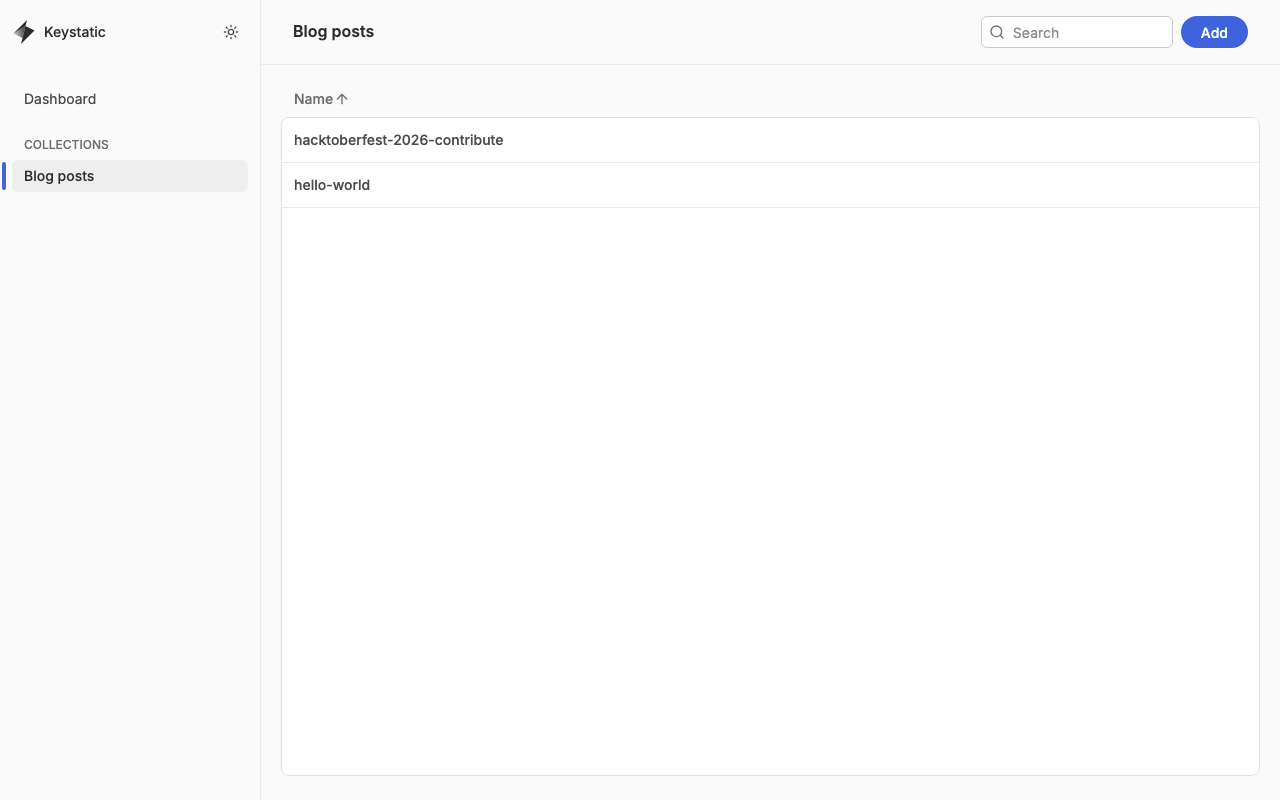
Click Add in the top right to start a new post.
3. Fill in the details
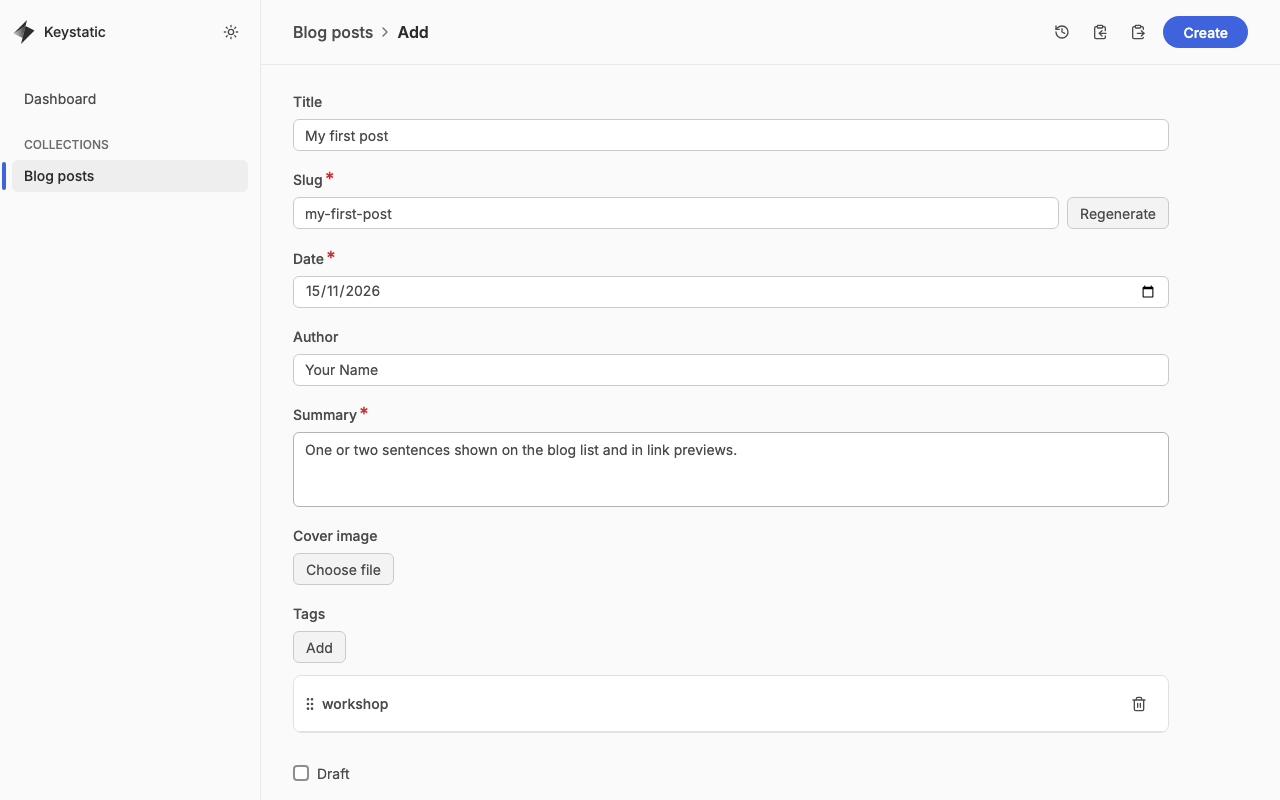
- Title: shown as the page heading. The Slug is filled in for you and becomes the URL, so
my-first-postis published at/blog/my-first-post. - Date: the publish date. Posts are sorted newest first.
- Author: your name. It defaults to The Penguins Club, so change it if the post is yours.
- Summary: one or two sentences shown on the blog list and in link previews. It is required.
- Cover image (optional): pick a file and it is saved into
public/images/blog/for you. - Tags: click Add once per tag, for example
workshoporlinux. - Draft: tick this to keep the post out of the published site while you are still working on it.
4. Write the post
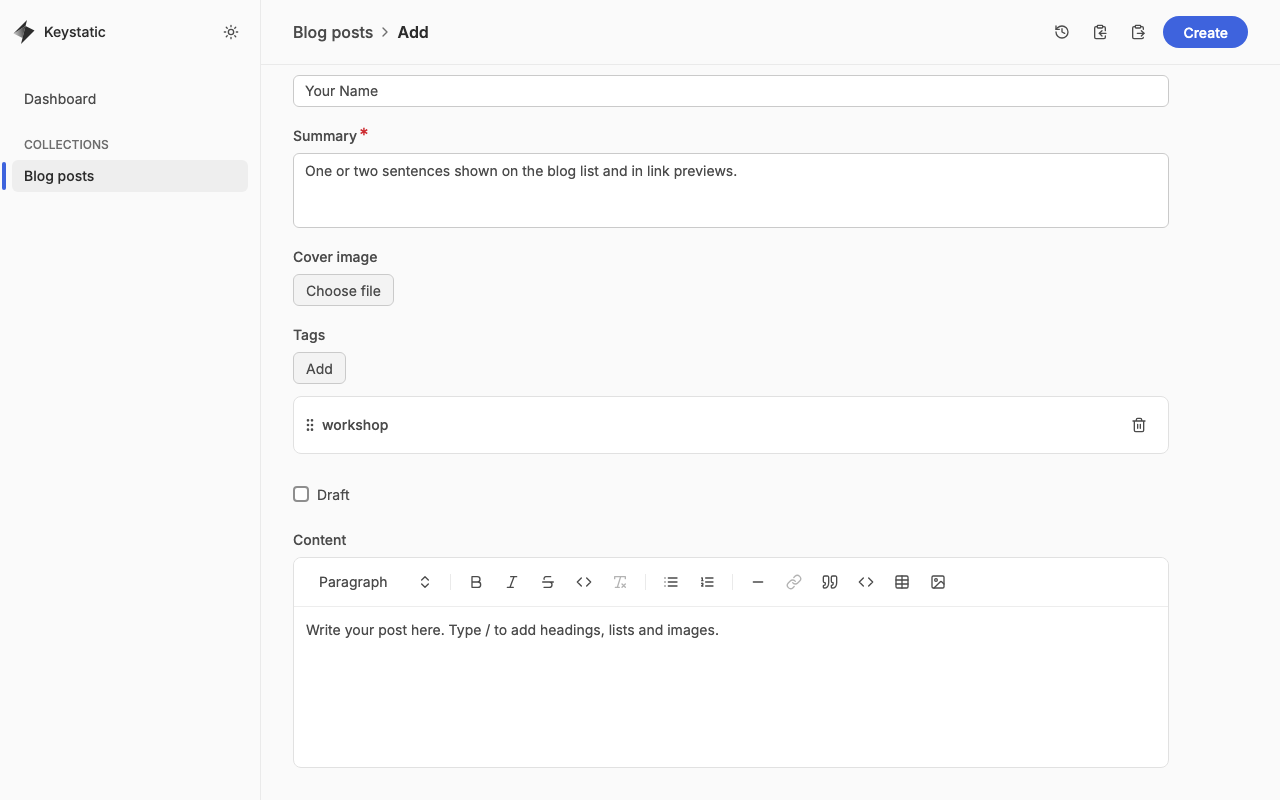
The Content box is a normal rich text editor. Use the toolbar for bold, italic, links, lists, quotes, code blocks, tables and images, or type / on an empty line to open the same menu from the keyboard. The paragraph dropdown on the left turns a line into a heading. Use level 2 headings for sections; the post title already is the level 1.
Images you insert here are copied into public/images/blog/ automatically. Add alt text so everyone can follow along.
When you are happy with it, click Create (or Save when editing an existing post). Keystatic writes a Markdown file to src/content/blog/. You can preview it at http://localhost:4321/blog/<your-slug>.
5. Send it to us
Stop the dev server, then commit and push your branch:
git add .
git commit -m "post: my first post"
git push -u origin post/my-first-post
Open a pull request against main on GitHub. A maintainer will read it, may ask for small changes, and merges it. Merging to main deploys the site automatically, so your post goes live within a few minutes.
Prefer to skip the editor?
The editor is a convenience. Every post is just a Markdown file in src/content/blog/ with a short header, and you can write one by hand. The welcome post shows the format.
Tips
- Keep one post per pull request.
- Only use images you made or have permission to share.
- If the editor shows a red asterisk next to a field, it is required and Create will not work until it is filled.
We look forward to reading what you write.